


 Trusted By 3000+ Users


SealRemove™ - Adhesive Remover Wipes For Removing Adhesive & Cleaning Skin 50-Pack
Regular price
$15.99
Sale price
$15.99
Regular price
$20.99
Save 23%
A Few Seconds of Adhesive Removal. An Easier CGM Change.
-
Get Delivery withinNov 25 - Nov 29
"I came to know Sealremove when I receive my mirtouch patch. In the package they include adhesive remover wipes. I have not stopped using them since I used the first one to remove my sensor. Highly recommended. The wipes make the process skin friendly. No more suffer peeling off adhesive from your skin."

Crystal Martinez • Verified Buyer
Arizona, US
Our Promise:
Fast Shipping
Superior Service
Easy Return
Secure Payment
MirTouch® SealRemove™ Adhesive Remover Wipes
MirTouch® SealRemove™ Adhesive Remover Wipes are designed to help gently remove adhesive residue from the skin after removing adhesive patches, CGM sensors, and other diabetes-related adhesive devices, including insulin pumps.
The wipe helps loosen and remove adhesive residue left behind on the skin, making the removal process easier and more comfortable. It also helps clean the skin after adhesive removal, leaving it feeling clean and refreshed.
Designed for gentle adhesive removal, SealRemove™ helps minimize skin discomfort associated with removing stubborn adhesive residue.
Hypoallergenic and latex-free, these wipes are suitable for convenient, everyday use by people who regularly use adhesive devices and patches.
Each pack contains 50 individually wrapped, single-use wipes conveniently packaged in a reusable zipper pouch, making them easy to keep at home or take with you on the go.
With simple application and convenient individual packaging, SealRemove™ provides a practical way to remove adhesive residue and clean your skin after removing adhesive products.
PREP → SEAL → REMOVE
SealRemove™ is designed to work as part of the MirTouch® Seal System™, together with SealPrep™ Skin Barrier Wipes and LibraSeal™ or DexcaSeal™ adhesive patches (sold separately) for a complete skin preparation, protection, and removal routine.
SealRemove™ can also be used independently to remove adhesive residue and clean the skin after using CGM sensors, adhesive patches, and insulin pump adhesives.
WEIGHT:
5 oz
DIMENSIONS:
7 x 5 x 0.5 in
COLOR:
White
ITEM DIMENSIONS:
2.4inx2.4 (6x6cm)
SPECIAL FEATURE:
Adhesive Remover
PRODUCT TYPE:
Adhesive Remover Wipe
ITEM FORM:
Rectangle
PACKAGE CONTENT:
50 Individually-Wrapped, Signle-Use Adhesive Remover Wipes
MATERIAL FEATURE:
Hypoallergenic, Latex-Free, Removes Adhesive & Cleans Skin
Directions:
Apply the wipe to the edge of the adhesive patch. Gently peel the patch away while continuing to apply the wipe along adhesive edge. Use the wipe remove any remaining adhesive residue from the skin.
🚫 Warnings:
For external use only. Keep out of reach of children. Avoid contact with eyes. If contact with eyes occurs or product is accidentally ingested, call a doctor.
SealRemove™ - Adhesive Remover Wipes For Removing Adhesive & Cleaning Skin 50-Pack
Regular price
$15.99
Sale price
$15.99
Regular price
$20.99
600+ bought last month
30-day money back guarantee
2,000+ hours tested
6,000+ happy customers
secure checkout
Trusted By 3000+ Users
You’ve got enough to think about when it’s time to change your sensor. Peeling off a stubborn patch or dealing with sticky residue shouldn’t make it harder.
We created SealRemove™ to help loosen adhesive from CGM patches, sensors, and insulin pump adhesives for easier removal. It also helps wipe away sticky residue so you can move on with your routine.
Loosen the adhesive. Wipe away residue. Get on with your day.
Simple Instructions, Secure Application
Follow the instructions for a long-lasting application.
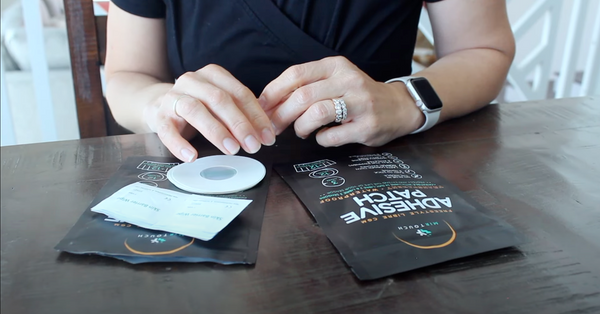
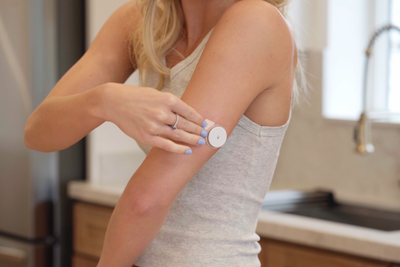
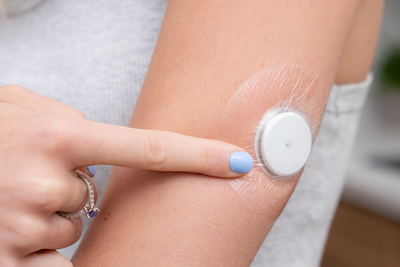
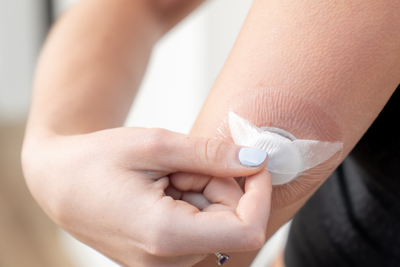
Prep ->
Seal ->
Remove
Before applying the patch, make sure your skin is clean and completely dry, with no oils or lotions that could affect adhesion. Remove any adhesive residue from previous wear using a MirTouch® SealRemove™ Adhesive Remover Wipe. For best results and easier removal, you may choose to shave any hair around the sensor area if needed. Finally, apply a ® SealPrep™ Skin Barrier Wipe (sold separately) and allow it to dry before applying any adhesive device to your skin.
Once your skin is prepared for a secure, long-lasting bond. Apply a MirTouch Adhesive Patch to further secure the sensor to your arm. SealPrep can also be used to prepare skin for applying CGM sensors, adhesive devices and insulin pumps.
When it’s time to remove the patch, gently lift an edge and peel it away in the direction of hair growth to help reduce discomfort. To make removal easier and gentler, use a MirTouch® SealRemove™ Adhesive Remover Wipe.

50 Pack
What's Included
Each MirTouch® SealRemove™ pack includes 50 individually wrapped, single-use adhesive remover wipes. They help loosen adhesive from CGM sensors, patches, and insulin pump infusion sets and wipe away sticky residue left on your skin. The individual packets make it easy to keep a wipe handy for device changes at home or on the go.
The wipes come in a reusable zipper pouch for easy storage and travel.
Each pack contains
- 50 individually wrapped SealRemove™ adhesive remover wipes
- 1 reusable zipper pouch
Simple, convenient, and ready to help you remove adhesive and clean your skin before applying adhesive products.
Complete Your Seal System™
SealRemove™ is the REMOVE step of the MirTouch® Seal System™, a simple 3-step routine that helps you prep your skin, secure your CGM sensor, and remove adhesive when it’s time for a change.
Start with SealPrep™ Skin Barrier Wipes (sold separately) to prepare your skin, then use a LibraSeal™ or DexcaSeal™ Adhesive Patch (sold separately) to help keep your sensor in place. When it’s time to change your sensor, use SealRemove™ Adhesive Remover Wipes to help loosen the adhesive and wipe away sticky residue.
PREP → SEAL → REMOVE
SealPrep™ → LibraSeal™ → SealRemove™


Regular price
$12.99
Sale price
$12.99
Regular price
$16.99


Regular price
$14.99
Sale price
$14.99
Regular price
$19.99
Why Customers Trust Our SealRemove™ Wipes
Proven performance backed by real user results — designed to help protect skin, support adhesion, and make your everyday CGM routine more comfortable.
84%
84% of users reported less painful sensor removal when using our SealRemove wipes
Engineered for gentle removal, our SealRemove™ helps remove adhesive residue and cleans the skin for an easier CGM change.
95%
95% of active users trust it for better CGM and patch removal
SealRemove™ removes adhesive residue that allows for easier CMG change—helping you feel more comfortable in your CGM routine.
91%
91% loved the individually wrapped wipes for home use or on the go
Each pack includes 50 single-use wipes in a convenient reusable zipper pouch, making it easy to keep your skin prep supplies organized and ready wherever you need them.
90%
9 out of 10 users preferred using the complete MirTouch® Seal System™
SealRemove™ is designed to work together with LibraSeal™ or DexcaSeal™ Adhesive Patches and SealPrep™ Skin Barrier Wipes for a complete CGM adhesion solution.
87%
87% said their skin felt better after using SealRemove™
In comparison to not using SealPrep™ most users felt less discomfort when removing their CGM sensor or adhesive patch.
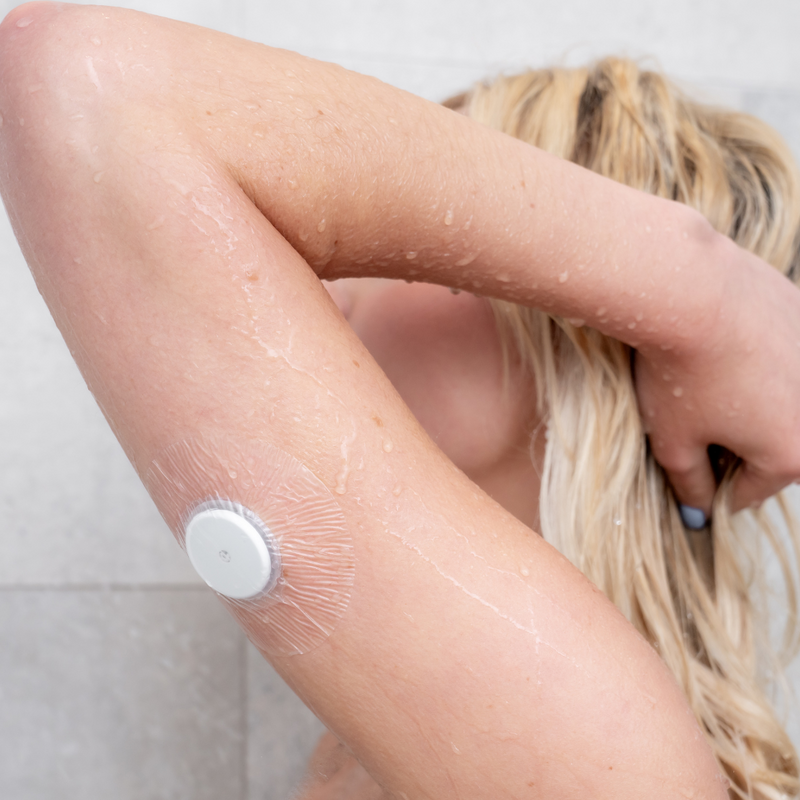
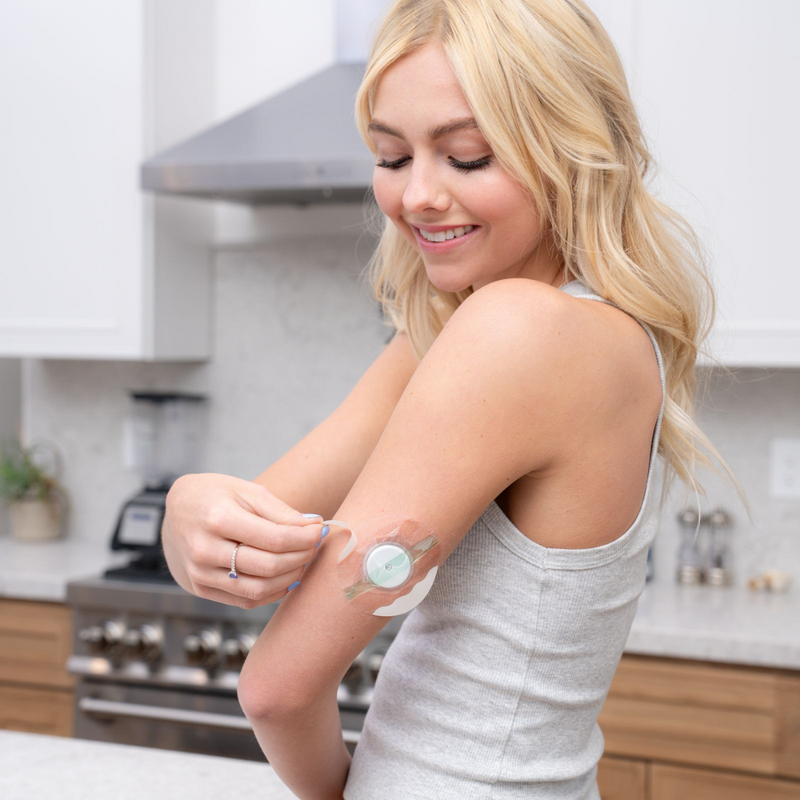
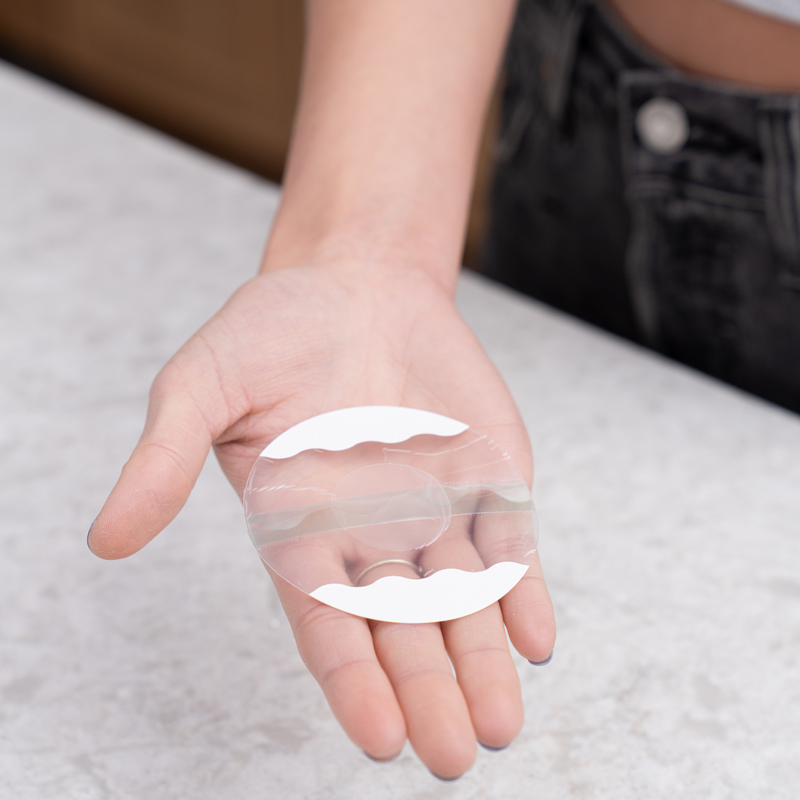
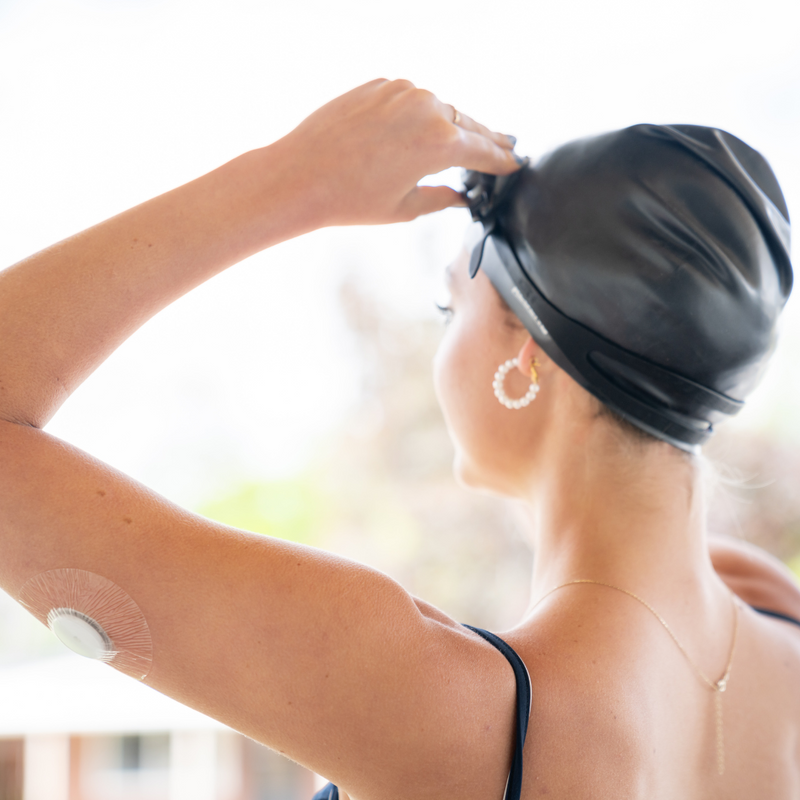
4.92/5 Based on 6,000+ Verified Customers
Real stories from real people living confidently.
★★★★★
Feels Comfortable
Works Great for removing sensors
I am quite happy since I started using these wipes. I should say my skin is happy, because I used to yank them sensors off my skin and they hurt. Now I take my time and remove them without an discomfort. I love having them individually wrapped too—I can take them wherever I go.

Shante Green
Verified Purchase★★★★★
Great value
Small investment worth making
I have always used the free ones that come with their seal system, but since they helped me so much I started using them for my pods too. It's a small investment worth making, given how much it helps my skin ;)

Tara Mazinni
Verified Purchase★★★★★
A bit hesitant at first
Better than I thought
I really didn't see the value in using adhesive removers at first. Felt like yet another unnecessary accessory that I didn't. Just muscle the sensor off your arm and you're fine, but trust me over time it gets to you. Having the wipes makes it so much easier. Don't play tough, just do what's right.

Victor Carlson
Verified Purchase★★★★★
Useful
It helped my sensor removal easier
At my age, the skin isn't as resilient as it used to be. Using these adhesive remover wipes has made the removal so much easier for me as they used to occasionally tear my skin. I am on blood thiner medication now, so I have no choice but to be kind to my skin.

Brian Nelson
Verified Purchase★★★★★
Try it
Perfect for future wear!
I have been on dexcom for as long as it existed. One thing I can tell you is the best thing is be prepared for the next sensor and removing the adhesives correctly without leaving residue may seem unimportant but it saves time and hassle in the long run.

Erika Walter
Verified Purchase★★★★★
Cleans your skin
Good Product
I’ve tried patches that didn’t stay on well and have to come to understand that it's all about skin preparation and prep works start with removing the last sensor the right way, that's why I started using these wipes and would definitely recommend them 😊

Kandy Prier
Verified PurchaseBundle More. Subscribe Smart. Save Big.
Unlock the lowest prices when you buy in bundles — Subscribe & Save an EXTRA 10% with auto-delivery on your schedule.
SealRemove™ - Adhesive Remover Wipes For Removing Adhesive & Cleaning Skin 50-Pack
Regular price
$15.99
Sale price
$15.99
Regular price
$20.99
Frequently Asked Questions
Everything you need to know about our product
Who is MirTouch?
Based out of the beautiful San Luis Obispo County, California, MirTouch is a home for creativity, quality and thinking outside the box. We like to do things a little differently. We really listen to what you have to say, combining your insights with our knowledge to create solutions that are both simple and impactful. Ultimately, our goal is to simplify personal care so you can reach your health goals and live an active lifestyle.
What are these wipes for?
SealRemove™ Adhesive Remover Wipes help loosen the adhesive that holds CGM sensors, overpatches, and insulin pump infusion sets in place. You can also use them to wipe away sticky residue left on your skin after removal.
How do I apply the wipe to my skin?
Apply the wipe to the edge of the adhesive patch. Gently peel the path away while continuing to apply the wipe along adhesive edge. Use the wipe remove any remaining adhesive residue from the skin.
Can I use SealRemove™ with sensitive skin?
SealRemove™ wipes are hypoallergenic, latex-free, and designed for gentle adhesive removal. If you have sensitive skin, try the wipe on a small area first and stop using it if irritation occurs.
What products can SealRemove be used for?
SealRemove™ Adhesive Remover Wipes can be used with CGM sensors, adhesive overpatches (including LibraSeal™ and DexcaSeal™), and insulin pump adhesives. Use them to help loosen adhesive during removal and wipe away any sticky residue left on your skin.
How many wipes are included per pack?
Each MirTouch® SealRemove™ pack contains 50 individually wrapped, single-use adhesive remover wipes in a reusable zipper pouch.
Can I reuse a SealRemove™ wipe?
No. Each wipe is intended for single use only. Discard it after use and open a fresh wipe the next time you need one.
How should I store the wipes?
Keep the wipes in their pouch and store them in a cool, dry place away from direct sunlight and excessive heat.
What are the dimensions of each wipe?
Each wipe measures approximately 2.4 × 2.4 inches (6 × 6 cm), providing enough surface area for easy application to the skin.
Do you ship internationally?
Yes. We offer worldwide shipping. Shipping times and costs vary depending on location.
How can I contact MirTouch for support?
You can reach us through our website’s contact form or email our customer service team for quick assistance.
Make Every Sensor Change a Little Easier
SealRemove™ gives you a simple and comfortable way to loosen adhesive as you peel back your CGM patch. Once the patch is off, use the same wipe to clear away any sticky residue so you can get on with your day.